

Every number we work from, in one login.
AI visibility across six engines, search performance, paid media and every task we closed. Not a monthly PDF written after the fact — the same screens your specialist opens on a Monday morning, with ~16 months of your history already loaded on day one.
Why it exists
One login instead of nine tabs and a spreadsheet
Most agencies report by exporting from five tools into a deck once a month. By the time you read it, the account has moved on. We removed the export step.
Five logins you do not have, two you do, and one version of the truth that only exists in your account manager’s head.
portal.voctos.com
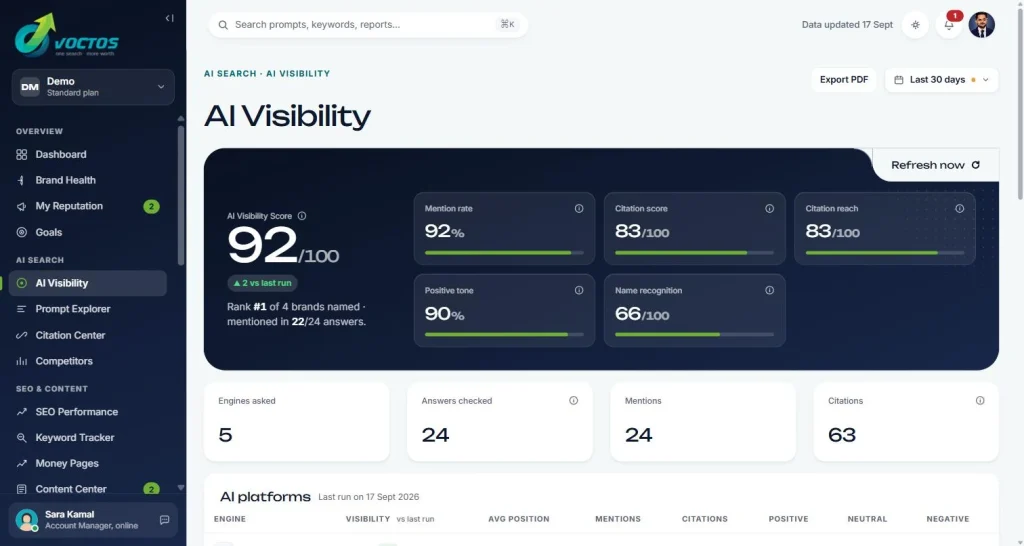
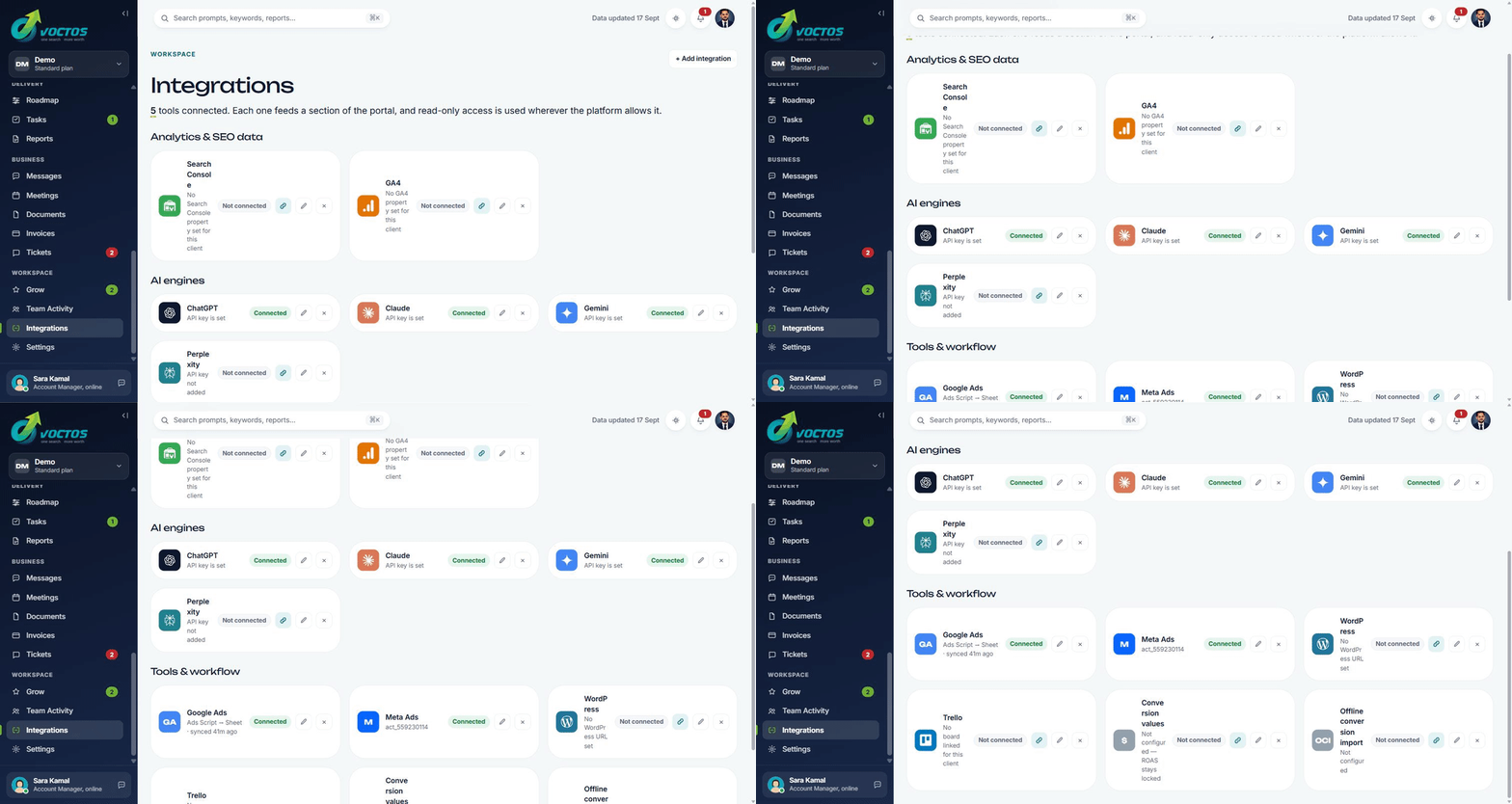
One login. Every connected source on the same date range. Every figure stamped with its last sync. Every recommendation printed next to the rule that produced it, so you can disagree with the rule rather than the conclusion.
One login, everything we do for you
Every client gets all six, included in the engagement rather than sold as software.
When a number isn’t certain, the screen says so
Every figure carries its own caveat — and the portal writes it for you. This is the part no dashboard on the market does.
Like-for-like, always
Google reports 2–3 days late. Most dashboards compare 4 measured days to 7 and show a fake drop.
4 vs 7 → −38% 4 vs 4 → the real change
A forecast that refuses to guess
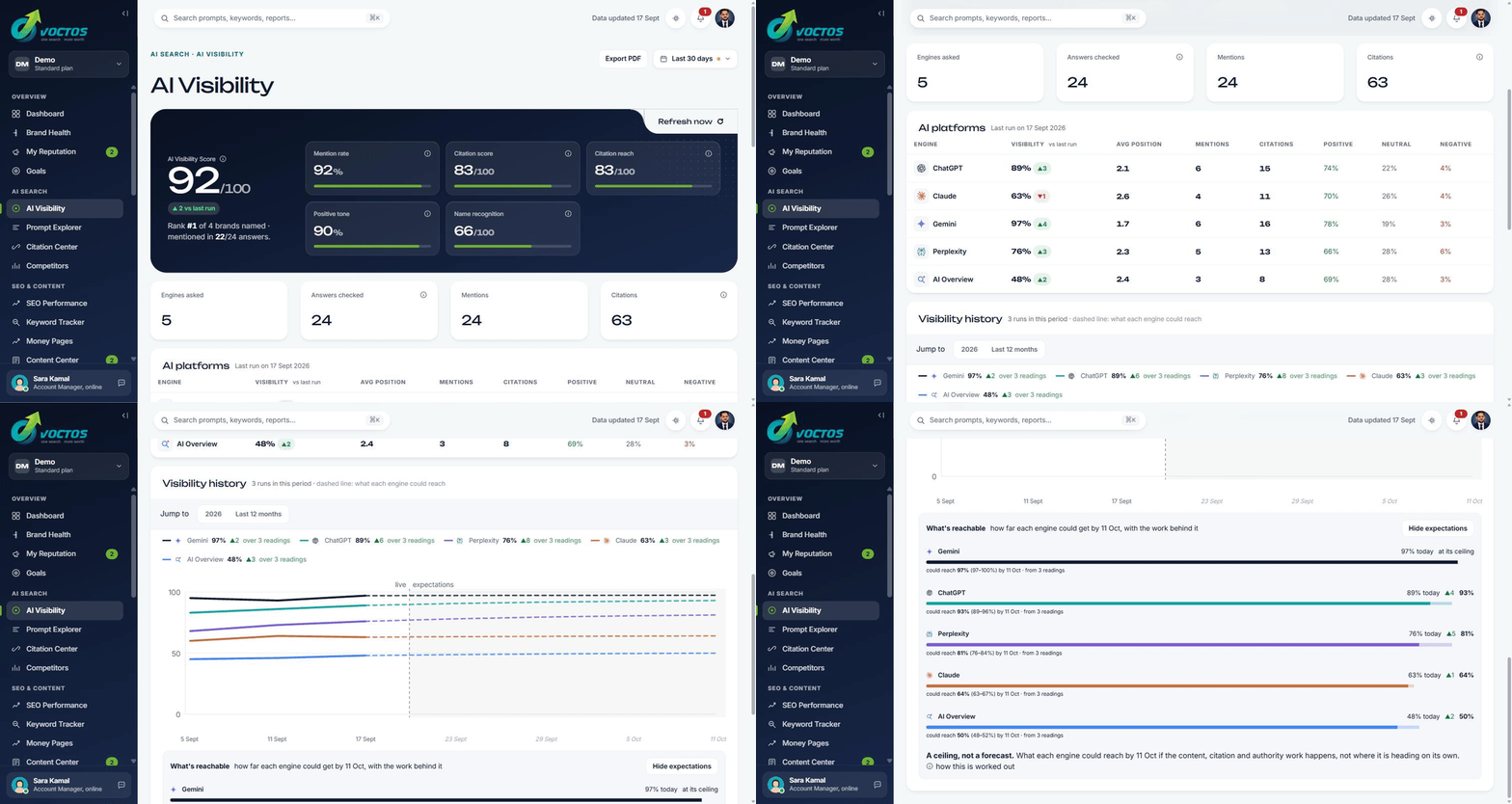
The reach model builds the ceiling from results we measured. When data can’t support a number, it stays silent:
“too changeable to estimate”Snapshot, not average
Metrics that only make sense at a point in time are labelled, never smoothed into a fake range average.
period snapshotEvery spelling counted, false matches excluded
Your brand is matched across every spelling — ChMeetings, Ch Meetings, ch-meetings — while a phrase like “planning center-wide” is excluded. The count is only proof if it’s counting the right thing.
Nothing runs on its own
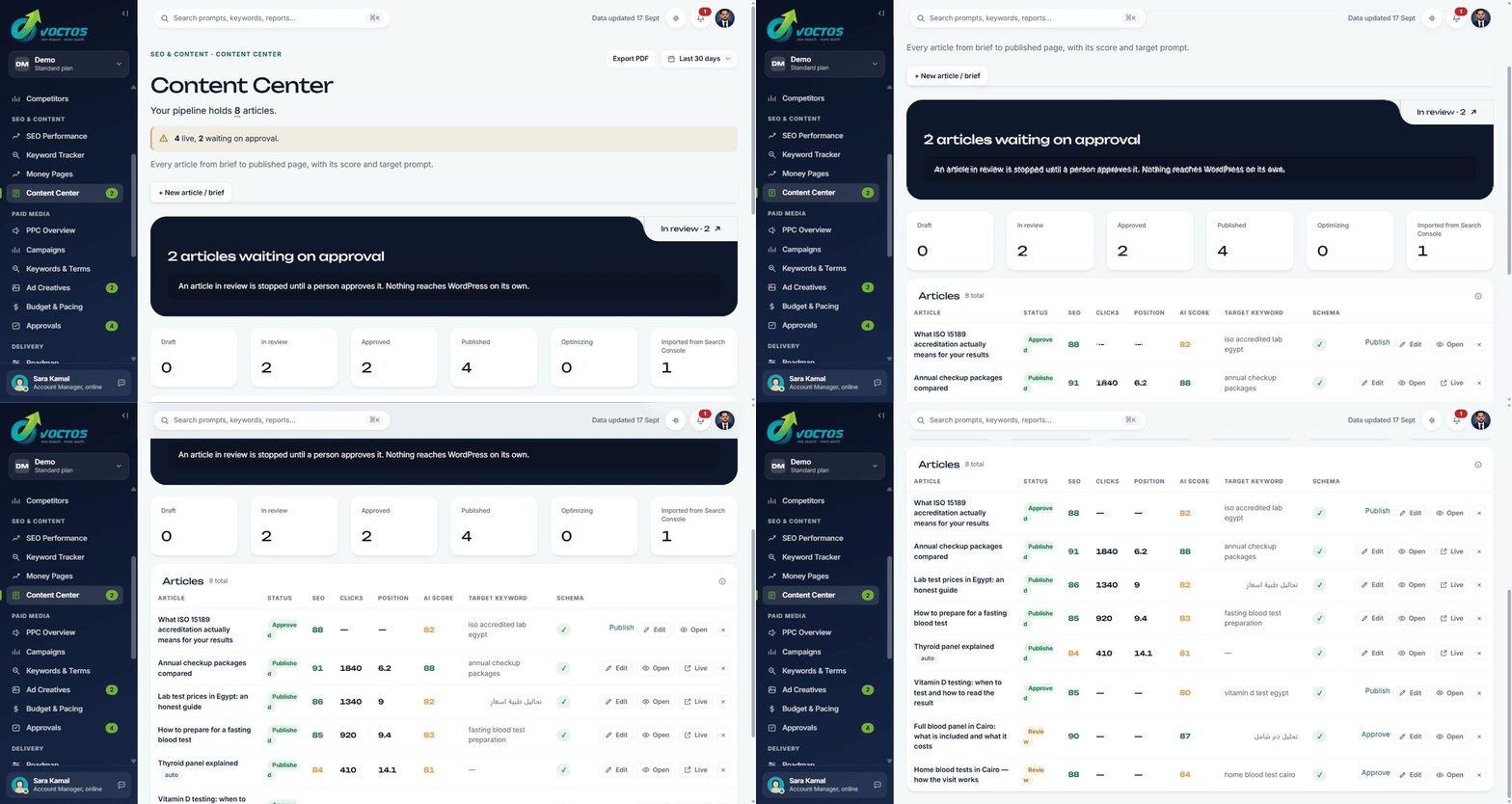
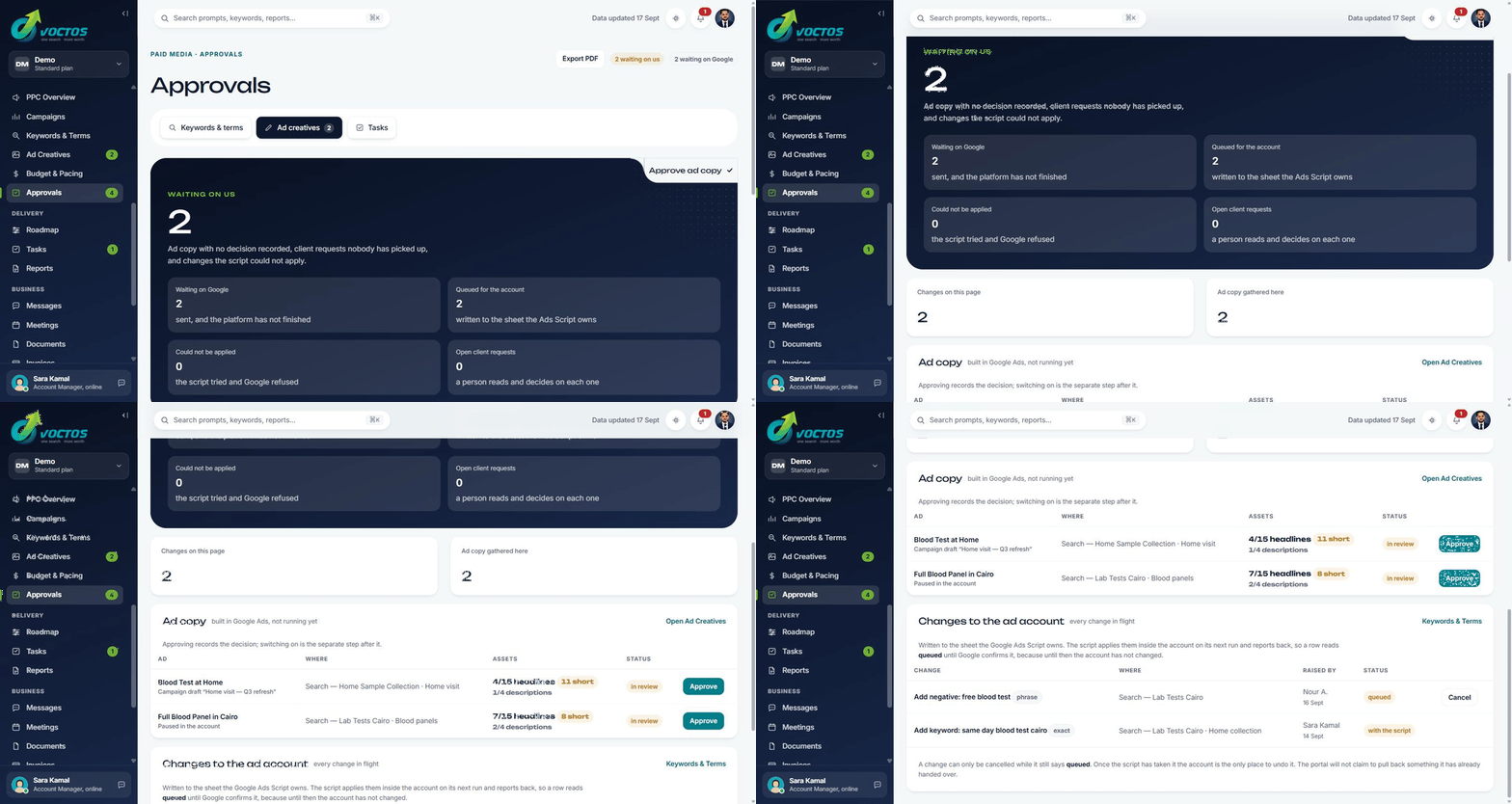
The portal has no write access to any ad account or CMS. A specialist reviews, you approve, we execute. Software does not change your account because a threshold moved.
Every screen your specialist works in — yours too
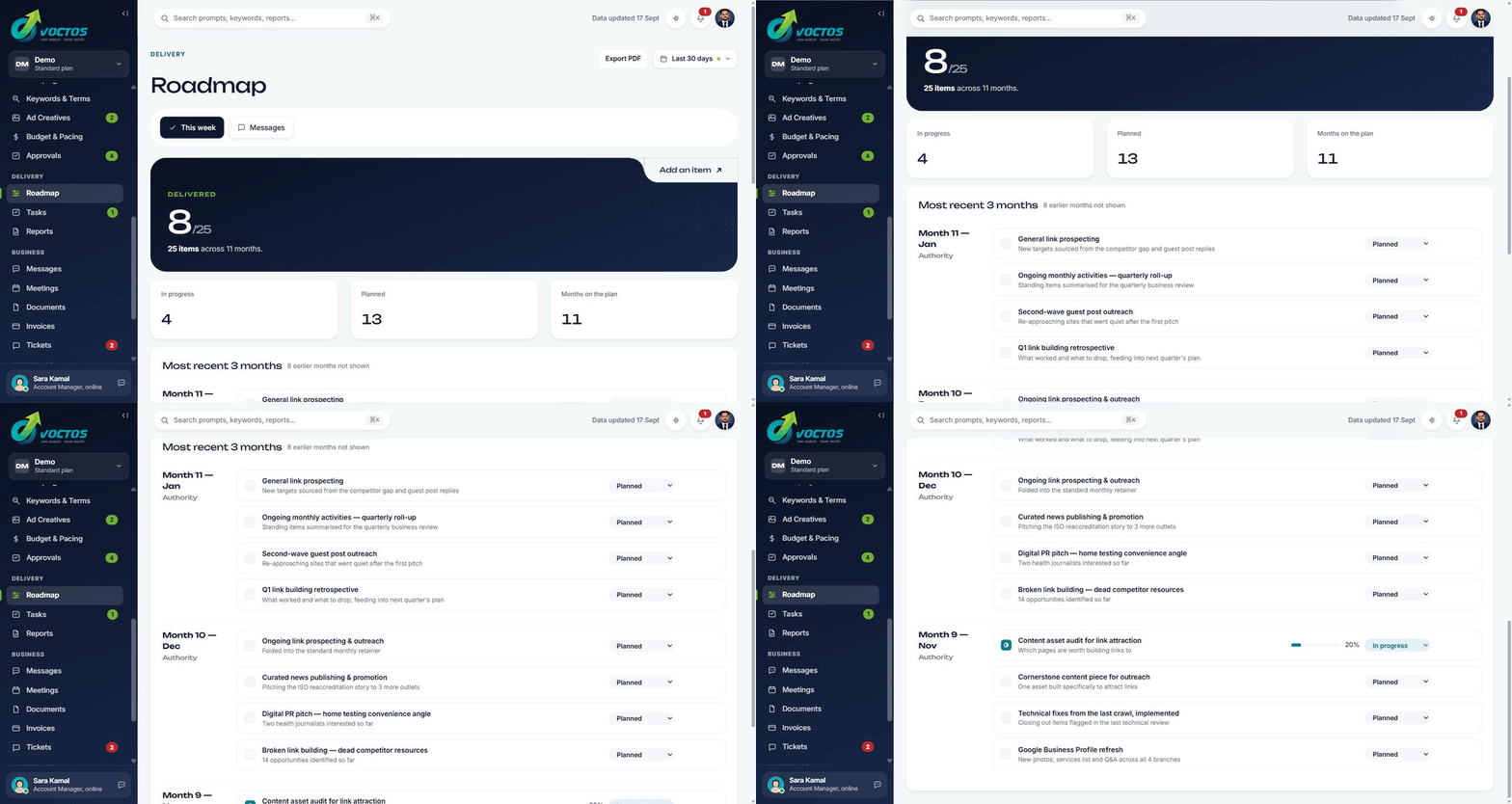
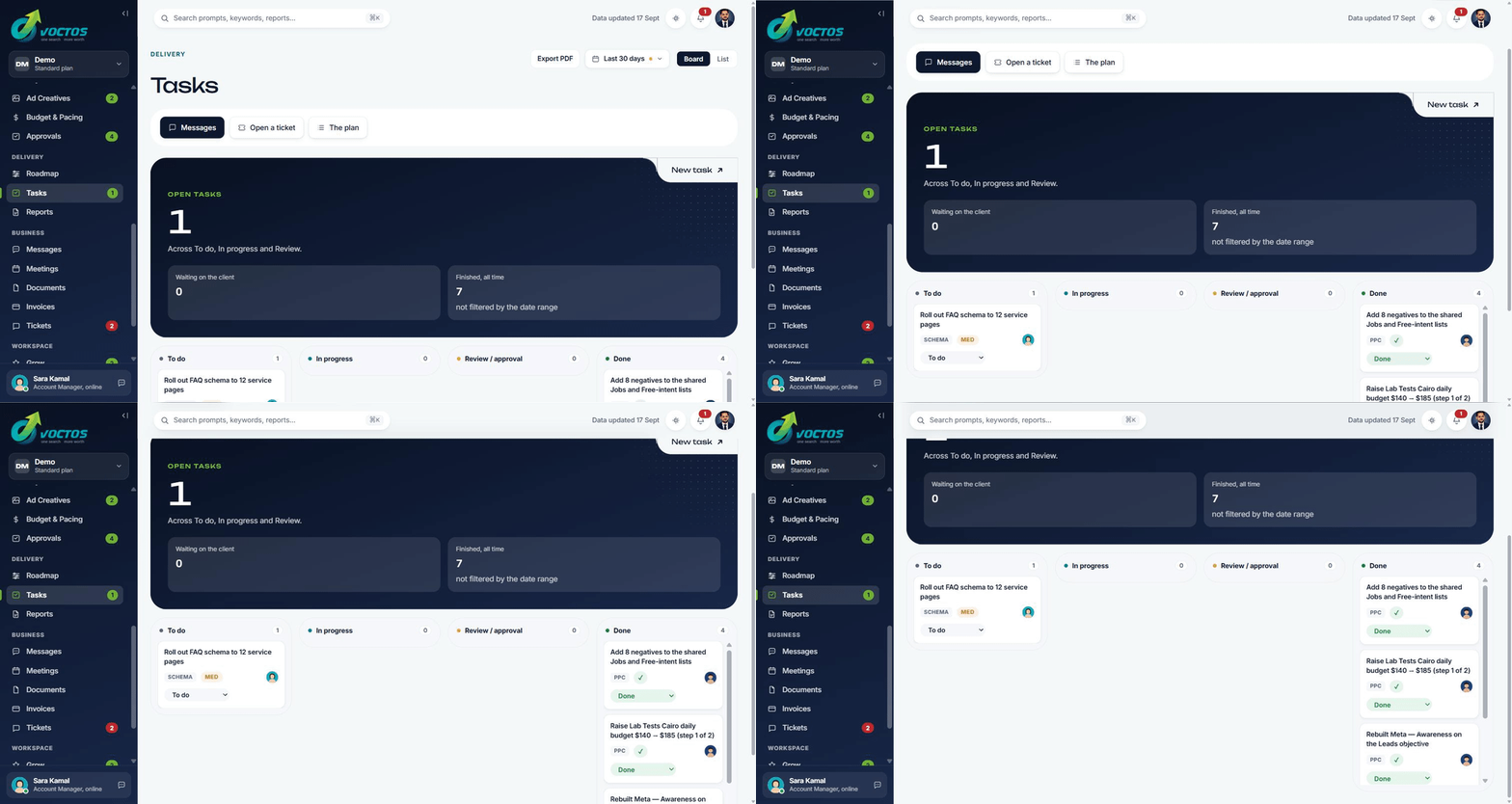
AI visibility, citations, SEO, content and paid media — plus the roadmap, tasks, approvals and invoices for the account. It all comes with a VOCTOS engagement, not sold as separate software.
What each screen answers
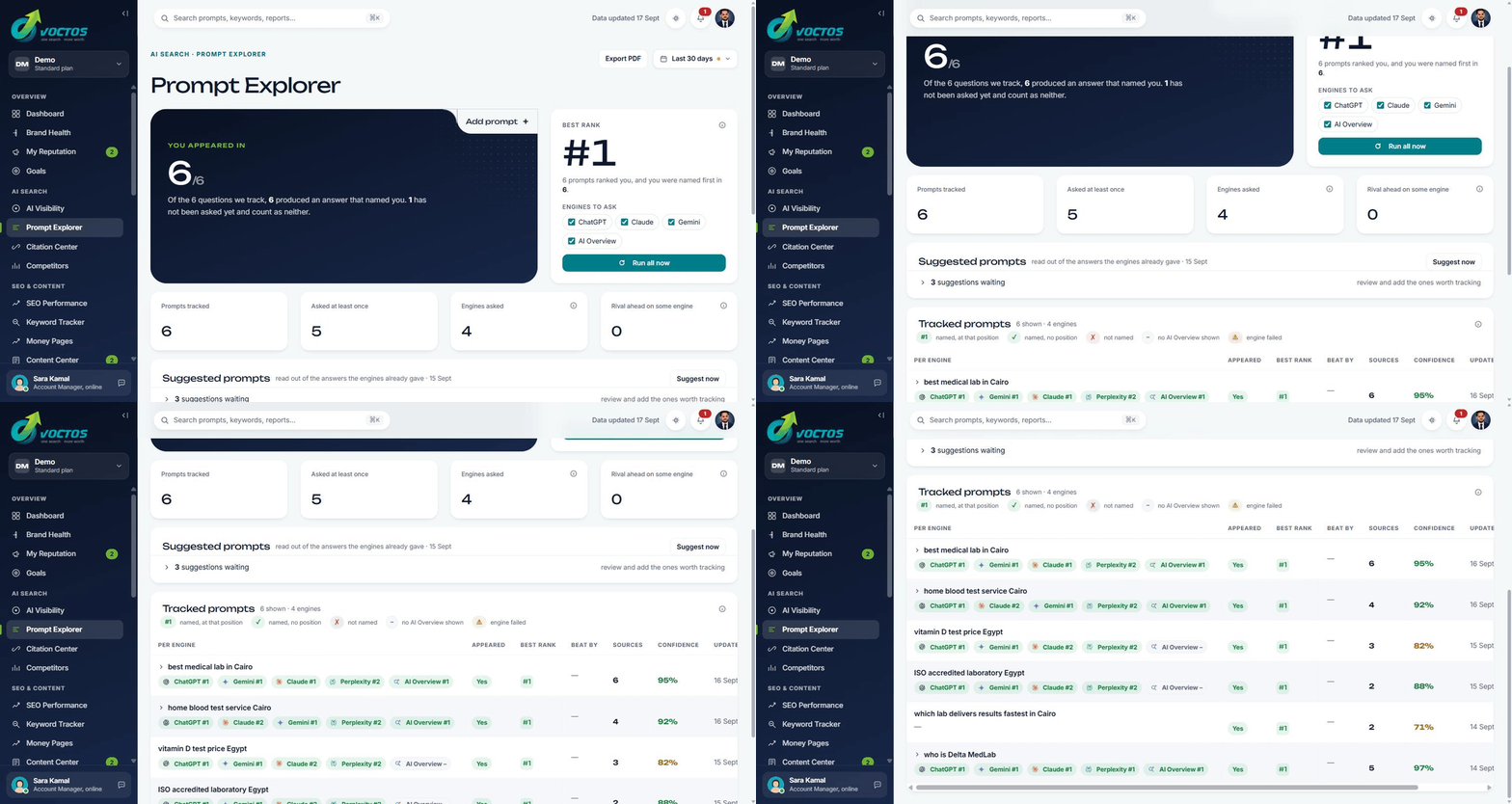
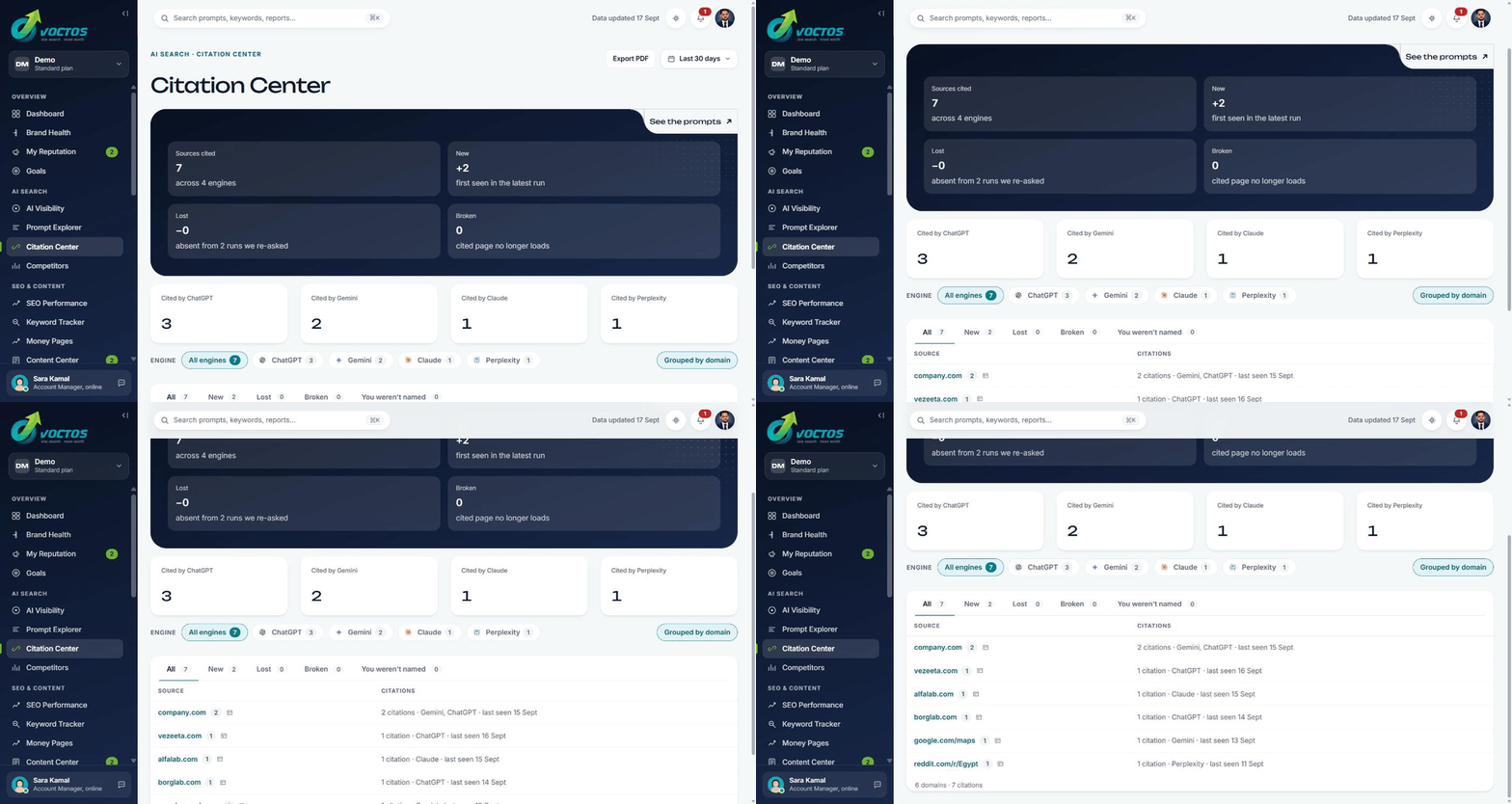
Every screen is built around a single question, and prints the rule or source behind its number. Click through the portal’s own rail — the same one your team uses.
Are you the answer — and how strongly?
The composite score, the eight signals behind it, and each engine reported separately, never a single blended number.
You always know what’s working — reported to you
No chasing us for updates. It’s generated from the screens, not written after the fact, the numbers, the story behind them and a clear next step, on a rhythm you can rely on.
In-portal alerts
Something moved, something needs you, flagged the moment it happens.
Email digest
The week’s numbers and the one thing to look at, in your inbox.
PDF, automatically
Generated from the same screens you see, every screen exports on demand too.
Review Meeting
We walk the results together and agree the next priorities.
Every account gets a dedicated strategist — a real person who knows your goals.
See a sample reportYour part takes two minutes.
One approval on Monday. By Thursday the screens open full, not empty.
Three of the four are ours. Nothing waits on a developer or a migration.
2FA and SSO are on the roadmap, not shipped yet. Figures shown are illustrative.
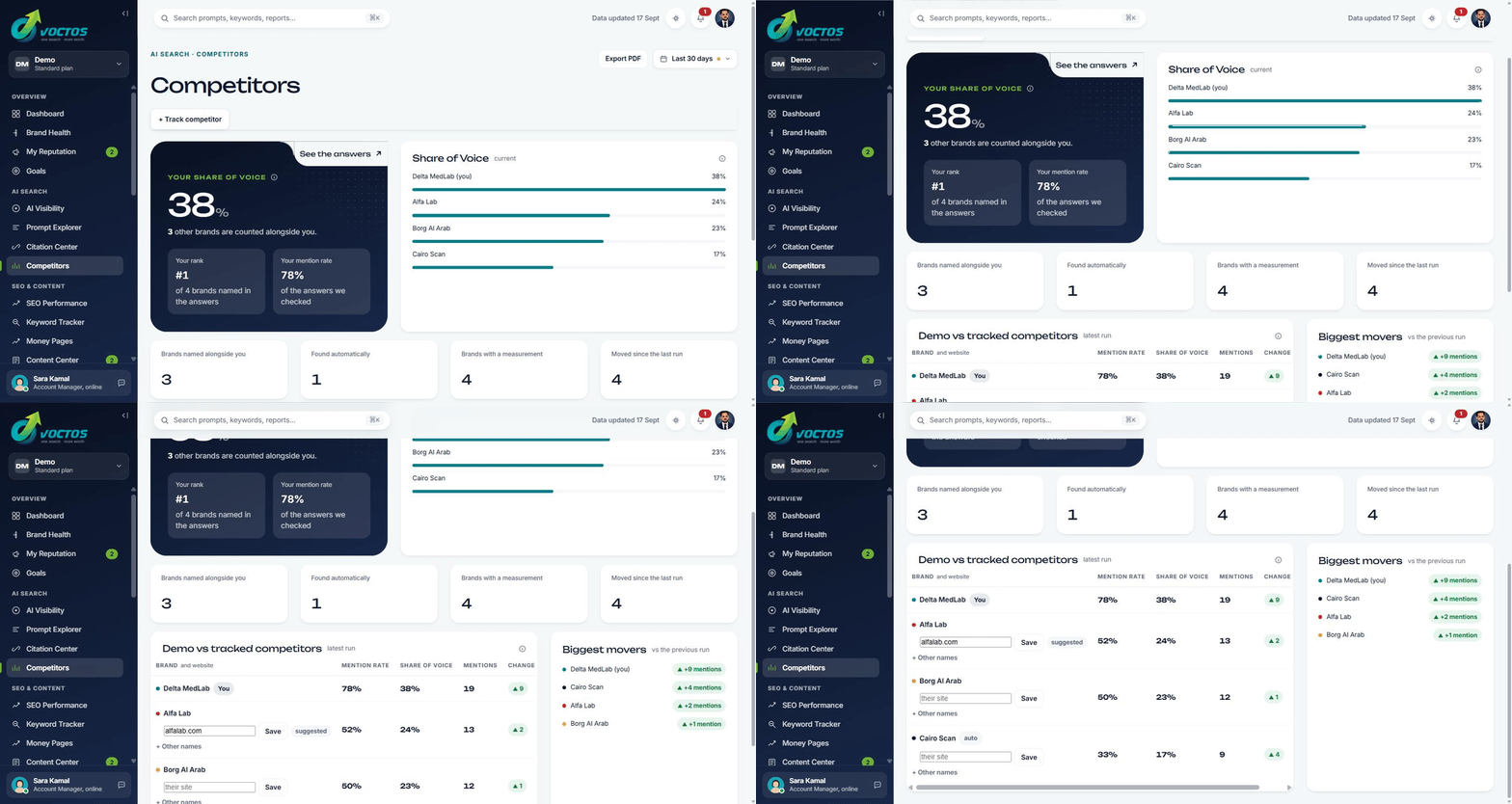
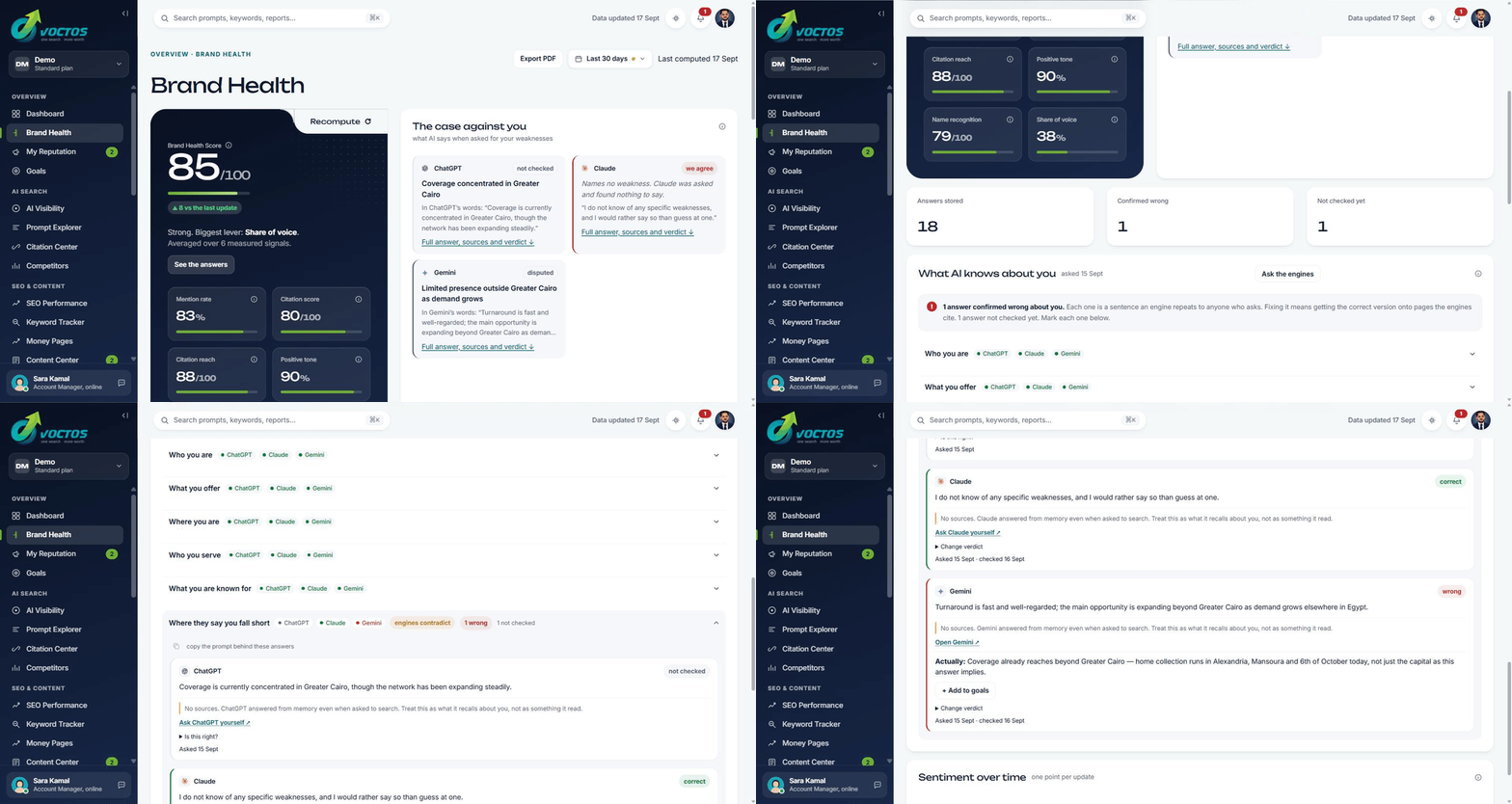
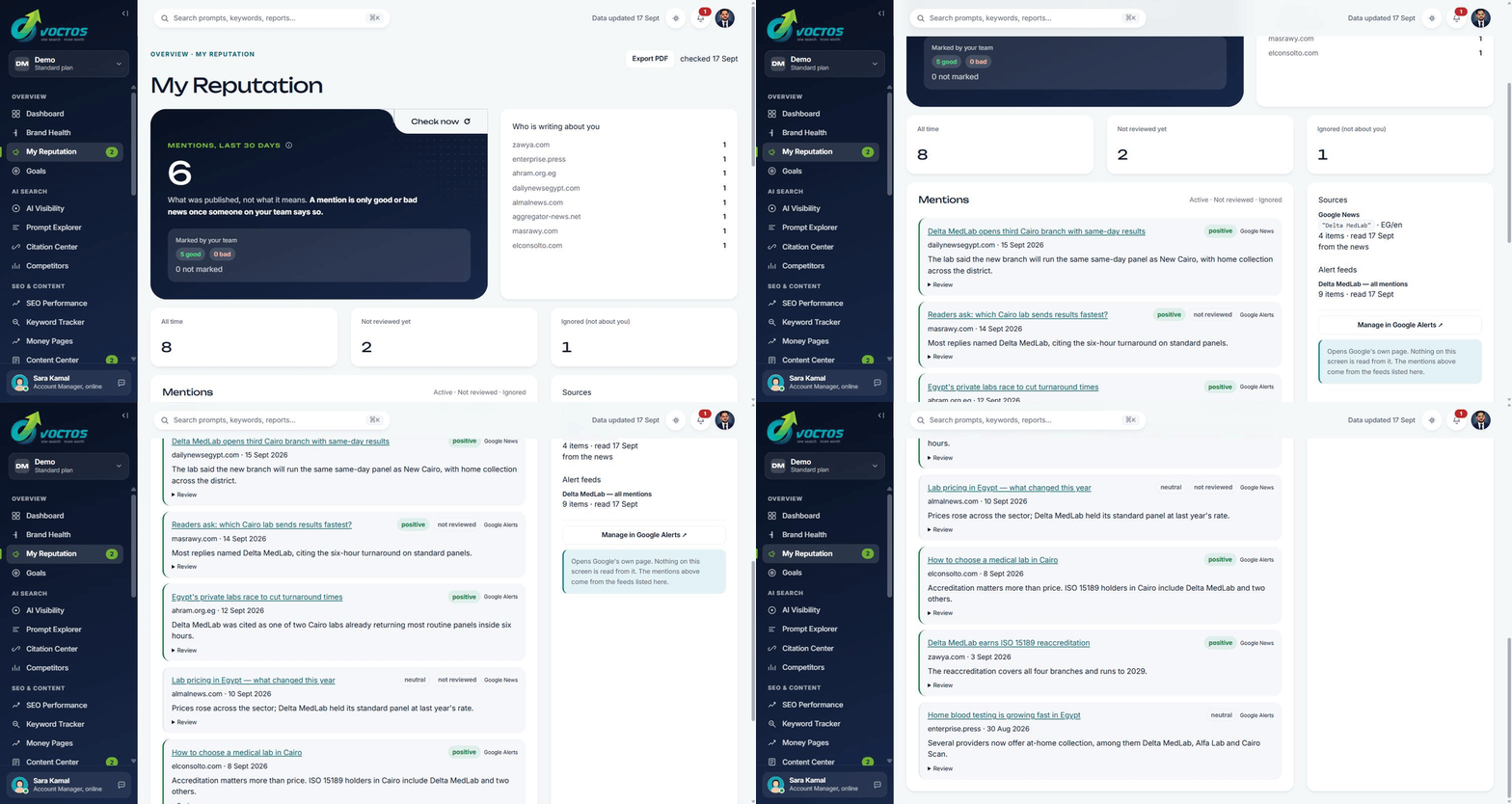
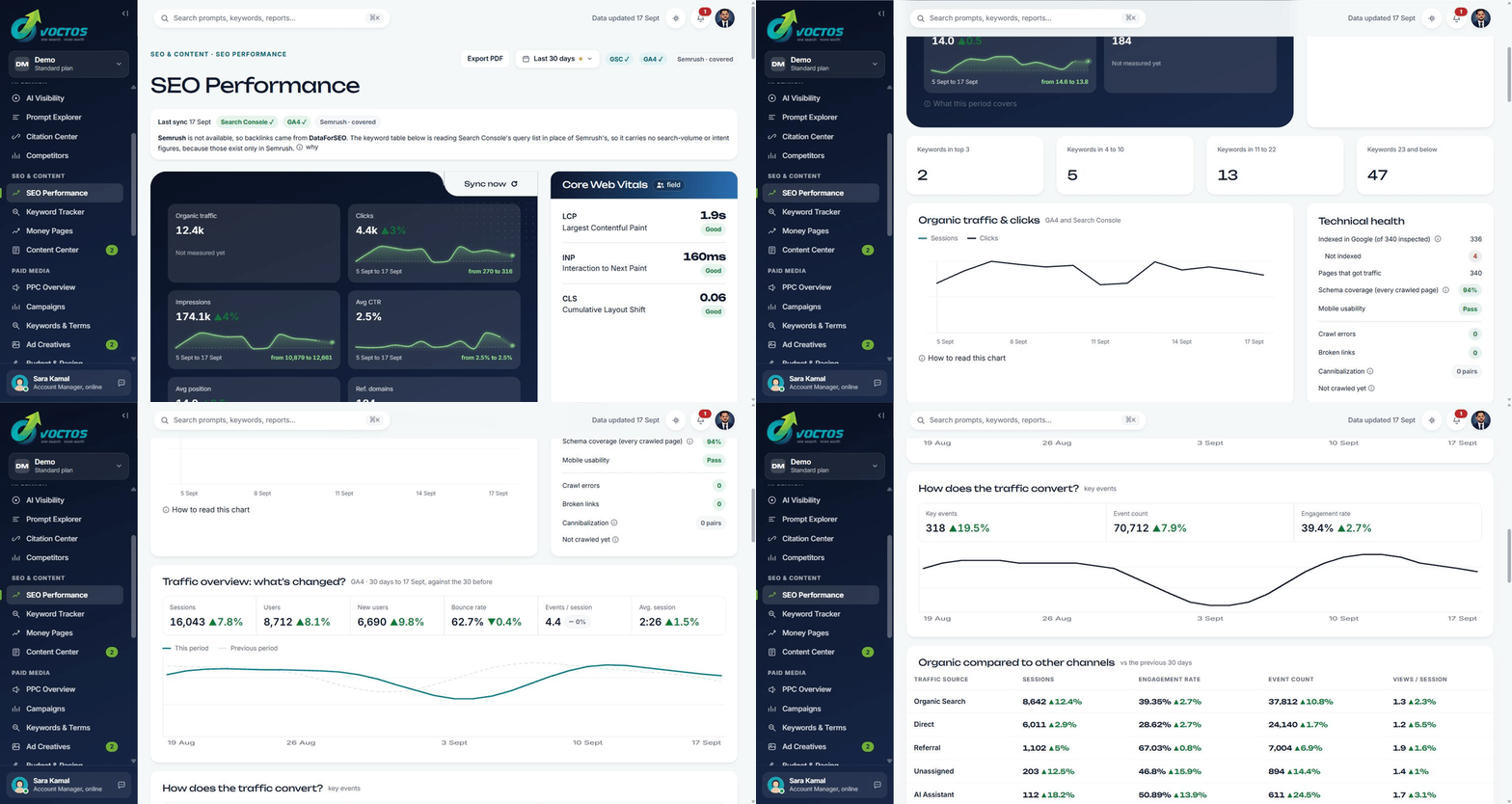
Straight answers
What the portal is and is not
Client portals are usually a login that shows you a dashboard someone exported. This one is the working surface, which changes what it can and cannot do.
What it is
- ✓The same numbers your specialist works from. There is no internal version with different figures.
- ✓Read-only against your accounts. It has no write access to any ad account or CMS by design.
- ✓Honest about its own gaps. Where a metric cannot be trusted it says so, and names the setup step that would fix it.
- ✓A place to send a request. Anything you flag arrives with us as a task you can track.
- ✓Included in your engagement, at no separate cost.
What it is not
- ✗Software you can buy on its own. It exists to run VOCTOS work, and it is not sold as a subscription.
- ✗A replacement for talking to us. It answers what happened. It does not decide what to do next.
- ✗Real time. Figures update on sync, and every screen tells you when the last one ran.
- ✗A guarantee of accuracy where your tracking is broken. If conversion setup is incomplete, the portal says the number carries an unknown margin of error rather than pretending otherwise.
Want to see the demo account? Book 15 minutes. See it for yourself →
A sentence you’re told, vs a number you can open
See the portal on a call
We’ll open your own category live and show you the screens — history, AI visibility and the honest numbers. No pitch, no deck.
Client portal — frequently asked questions
No. It is included in every engagement and there is no separate license. If you stop working with us, the account closes with the engagement.
No. It reports on work we are doing on your accounts, so on its own it would show you empty screens. If you only want a tool, we will say so rather than sell you a login.
No, by design. Every connection is read-only. When a change is proposed, a specialist reviews it, you approve it in the Approvals screen, and we execute it in the platform itself.
Every screen shows its own last-sync time. Search and AI visibility data refresh daily; paid media data refreshes on the platform API schedule, which is usually a few hours behind. Nothing on the portal claims to be real time.
The screen says so and names the setup step that would fix it, instead of showing you a confident number built on bad data. We would rather show a gap than a wrong figure.
Yes. There is no seat limit and no per-user charge. Most clients add whoever needs the numbers, including people outside marketing.
Both. The AI screens store the actual answers from ChatGPT, AI Overviews, AI Mode, Perplexity, Gemini and Copilot on a schedule, so you can re-read a run from three months ago rather than trusting a screenshot.
You can export everything before the account closes. We do not sell or share client account data, and we do not use one client account to inform another.